Embroidery
Describe a motif or bring your artwork. Embroidery plans every stitch for your cloth and writes the file your machine runs — in its own format, with the production sheet for the operator.
What Embroidery can take on
Embroidery reads your design the way a digitiser does. Every shape gets its stitch — run, satin or fill — at the right angle and density, on the underlay and pull compensation your cloth needs, sewn in an order that keeps trims and thread low — so the first sew-out is the design you drew.

School badge, 75 mm: an open book, a lamp and a motto ribbon on a navy shield, on twill.
- Book and lamp in fill, the border and ribbon in satin
- Lettering stitched by its height — small letters with no underlay, larger ones on a centre run
- Pull compensation set for twill, so the outlines meet the fills
- Colours sewn in order, with trims only where shapes are apart
Every shape, the right stitch
Run, satin and fill, and the trade’s own — chain, bullion, French knots, couching, cross stitch, sequins, shisha mirrors, cutwork, foam puff and more. Each is chosen for the shape’s size, and each angle turns with the shape.
Planned for your cloth
Density, underlay and pull compensation follow the fabric you chose. A stretch knit, a pile like velvet or towelling, a light silk and a heavy denim each get a different file of the same design.
Fewer trims, less thread
Shapes are sewn in an order that keeps jumps short, hides travel under later stitching and trims only where the needle has to cut — so the run is faster and the back is cleaner.
Native to your machine
The file is written in your machine’s own format — not renamed from another — with its trims, colour stops and hoop as that machine reads them, and read back before you get it.
What’s in every embroidery file
Every embroidery file is one bundle: the file the machine runs, and everything the operator needs to thread it, hoop it and run it.
Your machine’s formatStitch file
Every stitch, jump, trim and colour stop, in your machine’s own format — DST, PES, EXP, JEF, VP3, U01, TBF or TAP — read back after it is written.
Production sheet
Size300 × 233 mm
Stitches24,535
Colours3
Colour stops2
Trims325
Run time≈ 31 min @ 800 rpm
FormatPES
Production sheet
Size, colours, stitch count and run time; the thread for every stop; the stitch, density and underlay of every area; and the operator’s instructions.
Thread chart
1Light Brown#b27624
2Brass#ba9800
3Beige#efe3b9
Thread chart
Every colour in the design matched to a real thread shade, in stop order, ready for the thread room.
PNGStitch preview
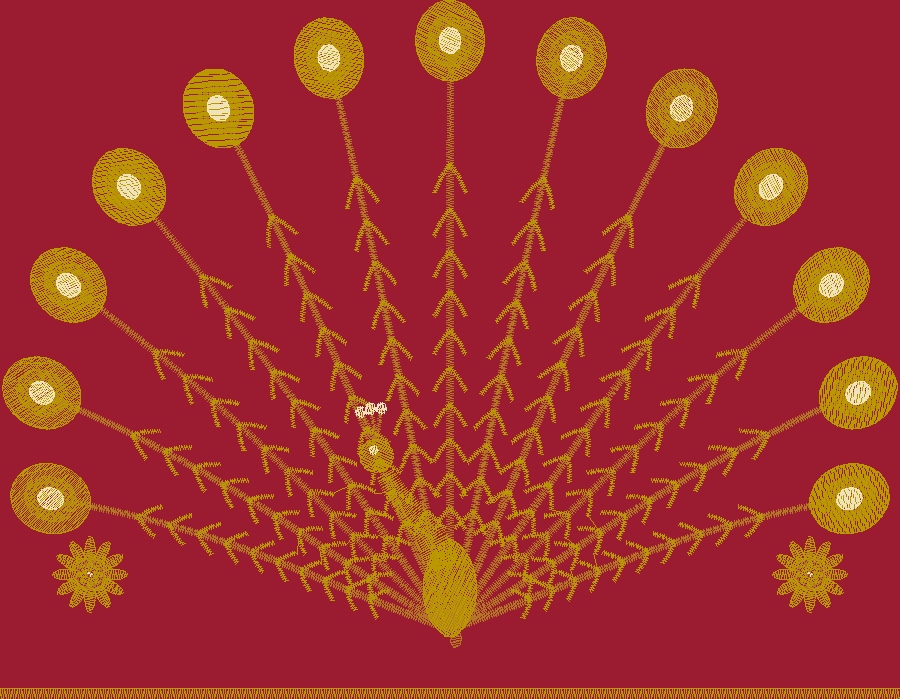
The design drawn stitch by stitch from the file itself, so you see the stitching before the first sew-out.
Runs on your machine
Choose your machine when you start. The file is written for that machine — its format, its needles, its hoops and its longest stitch.
Multi-head machines, up to 20 heads
The machine’s own format — DST, U01, TBF or TAP — with its trims and colour stops as it reads them.
Single-head commercial machines, 6 to 16 needles
DST, EXP, PES, JEF, TBF or TAP — the machine’s own format.
Home and compact machines
PES, JEF or VP3, with the thread colours carried in the file.
Machines with a sequin device or a borer
Sequins and boring holes written into the same file as the stitches.
Designs larger than the hoop
Split into hoopings, each its own file, overlapping at the seams so the design closes up.
Start where your design starts

From a prompt
Describe the motif in your own words — the size, the cloth, the colours and where it sits on the garment. It is drawn first, then stitched.
From your artwork
Upload a logo, a sketch or a scan. It is redrawn clean, with its colours matched to real thread.
From a trend
Start from a rising trend. Its colours and motifs carry into a design made for your machine.
Running an embroidery unit?
Get started with Embroidery
Pro
For growing studios and independent brands. Per month, ₹2,500 to spend each month.
Max
For factories and high-volume teams. Per month, ₹11,000 to spend with a 10% volume bonus.
Prices in INR, excluding applicable tax; shown in your local currency at checkout. Prices and plans are subject to change at PatternAI’s discretion.
Frequently asked questions
What file does my machine get?
Do I need digitising experience?
Will small lettering sew cleanly?
Does the file change with the fabric?
Can I see the stitches before the sew-out?
What if the design is bigger than my hoop?
How is an embroidery file priced?
What if my machine isn’t listed?
More on embroidery and its files
From a prompt to the stitch file your machine runs
Free to start. Pro and Max plans available.